Thermostats rarely fail with drama. They fail quietly: a screen that goes blank, a furnace that ignores you, a room that feels like 64 while the display swears it’s 70. The good news is that the cause is often almost embarrassingly simple, like a dead battery, a tripped breaker or one switch set the wrong way. Pick your symptom below and work through the checks in order, easiest first.
Thermostat Troubleshooter
Pick what you’re seeing. Work through the checks in order: the first ones are the most common and the easiest.
Before you take the thermostat off the wall or touch any wires, switch off power to your heating and cooling system at the breaker. Smell gas? Leave the house and call your gas utility from outside.
The five-minute check before you call anyone
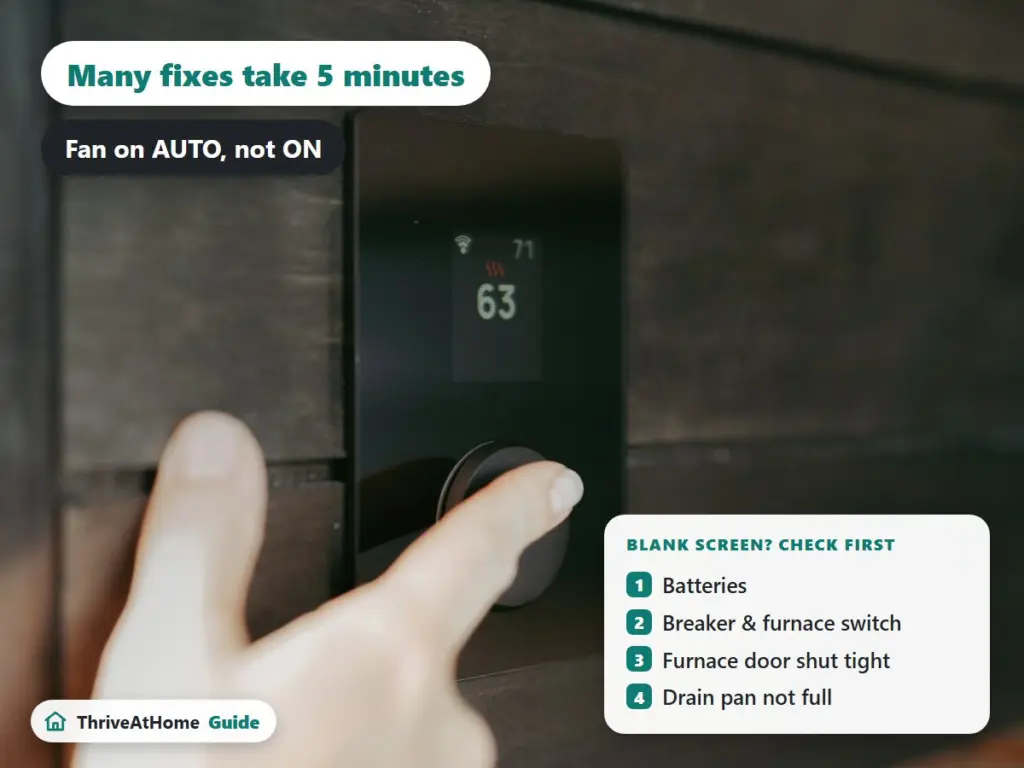
If you’d rather not click through symptoms, do these five things in this order. Together they cover the most common reasons a thermostat “stops working.”
- Batteries. Even thermostats wired to the furnace often have a battery compartment. A blank or flickering screen, or a little battery icon, is your hint.
- Mode and setting. Heat in winter, Cool in summer, and set a few degrees past the room temperature so the system has a reason to start.
- Schedules and “Hold.” A programmed schedule can quietly undo your change an hour later. Hold (or Permanent Hold) keeps your setting.
- Power to the equipment. Check the breaker for the furnace or air handler, plus the light-switch-style power switch on or near the furnace.
- The air filter. Pull it out and hold it up to a light. If you can’t see through it, replace it.
The fan switch that fools everyone
Most thermostats have a fan setting with two choices, and it causes more confused calls to HVAC companies than almost anything else.
The blower runs only while the system is heating or cooling. This is what you want almost all of the time.
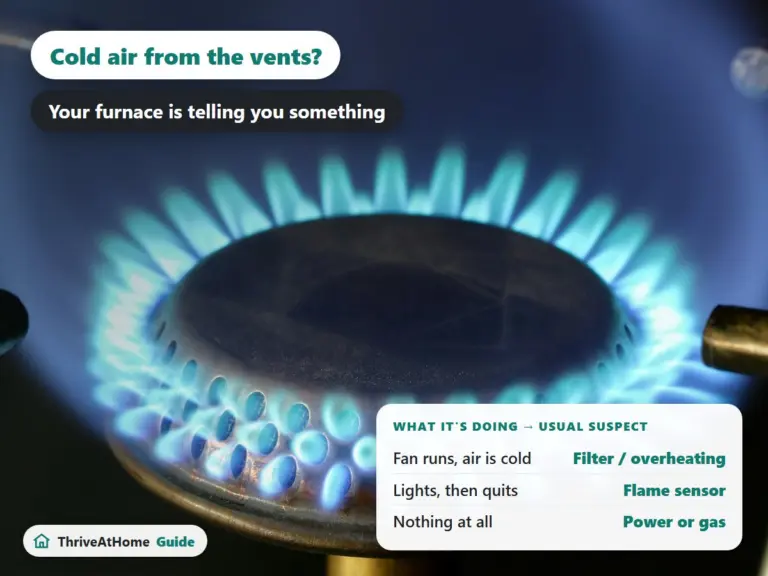
The blower runs nonstop, heating or not. In winter that means cool air drifting out of the vents between heating cycles, and it can make it seem like the furnace “won’t shut off.”
When the thermostat is lying about the temperature
A thermostat only knows the temperature of the few inches of air around it. Put it in the wrong spot and it will keep the house too warm or too cold no matter how good it is. Here’s what throws the reading off:
If moving the thermostat isn’t practical, check the menu for a temperature offset or calibration setting. Many digital models let you nudge the reading a degree or two to match a separate thermometer.
Smart thermostat acting up? It might be hungry
Smart thermostats need more power than the old dial kind, because they run a screen and a Wi-Fi radio around the clock. The steadiest source is a C wire (“common” wire) from the furnace. Without one, many models sip power while the system runs and drain their internal battery in between, which shows up as random reboots, a dead screen or the dreaded “offline” message in the app.
If your Wi-Fi changed recently, reconnect the thermostat first. If it still drops out, look behind the faceplate (with the power off) for a wire on the terminal marked C. No C wire? Many brands sell an adapter, or an HVAC technician can add one.
Old thermostat with a little glass bulb? Don’t toss it
Older dial thermostats often contain a small glass capsule of mercury. It’s sealed and harmless on the wall, but it shouldn’t go in the trash when you replace it. The EPA asks you to take it to a household hazardous waste collection site, and the Thermostat Recycling Corporation runs a take-back program through HVAC wholesalers. Details are on the EPA’s mercury in consumer products page.
Once it works again, make it pay you back
That’s the easiest win a working thermostat gives you (figure from the U.S. Department of Energy). One caveat if you have a heat pump: a deep setback can make it lean on its expensive backup heat to catch up in the morning, so use a thermostat designed for heat pumps, or keep the setback smaller.
When it isn’t the thermostat at all
Sometimes the thermostat is doing its job perfectly and the equipment isn’t answering. Stop troubleshooting and call a technician if:
- you hear the thermostat click, but the furnace never lights or the outdoor unit never starts;
- a light on the furnace control board is blinking an error code;
- you notice a burning smell, loud banging or water pooling around the furnace;
- a brand-new thermostat changes nothing.
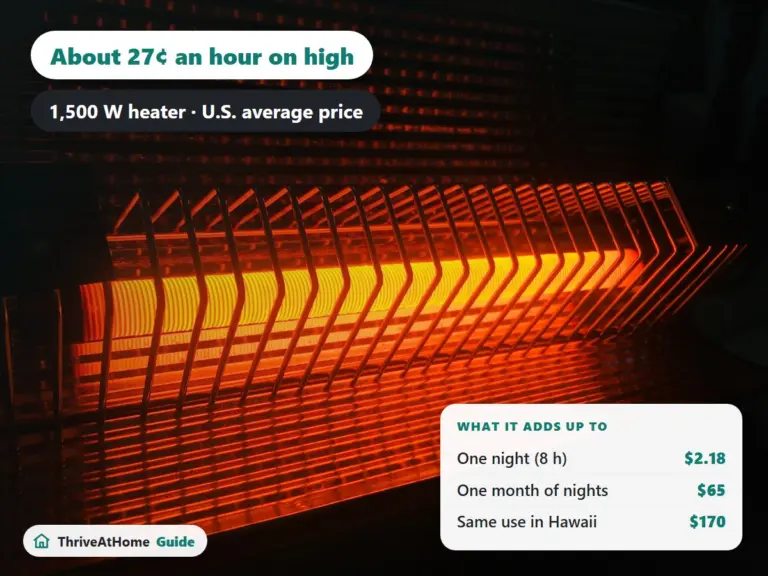
While the heat is out, keep an eye on the pipes. Our guide to frozen pipes covers what to do if the house gets cold enough for them to freeze, and the space heater cost calculator shows what it costs to keep one room warm in the meantime.
The questions people search at 2 a.m.
How do I reset my thermostat? It depends on the model, so check the manual first. For many, switching off the HVAC breaker for about 30 seconds (or removing the batteries) and then restoring power is enough. Smart thermostats usually have a restart option in the settings menu.
Why does my thermostat click but nothing happens? The click means it’s sending the “start” signal. If nothing follows within a few minutes, look at the furnace or air handler: the breaker, the power switch, the door panel and the filter. If those check out, it’s a job for a technician.
Can I replace a thermostat myself? Swapping a standard low-voltage thermostat is a common DIY job: turn off the power, take a photo of the wires before you disconnect anything, and match the labels on the new one. Thermostats for electric baseboard heaters are a different story. They run on line voltage (120 or 240 volts), so leave those to an electrician unless you’re experienced with household wiring. (The fine print is in our Disclaimer.)